Multizone HiRes connectivity over USB and Wifi
Audirvāna can be directly connected over USB to your DAC or audio system, but also allows you to wirelessly stream your music to your system without any loss of quality. The software integrates UPnP /DLNA (Universal Plug n Play protocol), installed on over 7 billion devices worldwide, and Chromecast.
If your system is compatible, you can select it from the audio devices list available on your network and start playing your music effortlessly with Audirvāna.
Audirvāna also allows you to manage and play music in different zones—or rooms—throughout the home. Each zone is associated with its own audio device with its own settings, and plays its music from the library or streaming service connected to Audirvāna
Wired connection
- Detection of all connected devices over USB
- Automatic recognition of ‘Plays with Audirvāna’ certified audio devices with manufacturers’ specs & settings
- HDMI connection to Audio Video Receivers
Wireless HiRes connection
- Detection of UPnP/DLNA devices on the network
- Automatic recognition of ‘Plays with Audirvāna’ certified audio devices with manufacturers’ specs & settings
- Complete operational UPnP functions including gapless transitions and seek
- Double role of the software as “control point” and ad hoc “media server”
- Chromescast compatibility including for multi-room set ups
- Airplay on macOS only
Bluetooth accessible via the Operating System
Read more
Audirvāna allows you to deliver your music to your system wirelessly and without any loss of quality.
If your system is compatible, it will directly be visible among the available audio devices and you will be able select it and start playing your music.
Audirvāna now integrates Google cast wireless protocol – also known as Chromecast – and can send audio to any compatible device – or group of devices in multi-room mode – in lossless quality up to 96kHz / 24bits.
Audirvāna also uses Universal Plug & Play (UPnP / DLNA), available on in more than 7 billion devices worldwide.
It is an open and complete standard that guarantees a lossless transmission of data over a computer network (via a Wi-Fi wireless connection, or thru an Ethernet or PLC cable connection). This common language allows devices and programs to communicate together, in the best interest of users who do not have to change their entire system because they change one part of it.
In this configuration, a “media renderer”, which converts and plays music, fetches the files from a “media server” under the control of a “control point”, typically your computer. In order to ensure upstream decoding of the files, Audirvāna plays both the role of control point and ad hoc media server, i.e. it is seen by the renderer as the file provider, which enables it to perform the necessary operations upstream of playback.
In UPnP connection, the latency is higher than in USB. As a result, some real-time adjustments are not possible in this case, such as using the internal digital volume control, or real-time equalization in plugins.
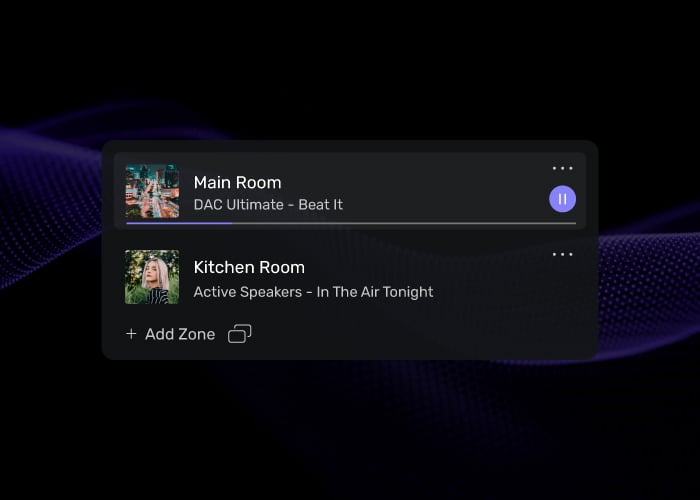
Multizone playback
- Independent audio output selection, settings, and playlist
- Up to 8 zones
- Zone creation and management also available from the Remote app
- No multiroom synchronization